Is a thermal label printer worth it for occasional shipping?
Compare a thermal label printer with your existing printer for occasional shipping using actual label costs, compatibility, storage, and setup time.
Read the guideSet up your printer, fix the frustrating stuff, choose the right labels and build a reliable shipping workflow.

Focused guides for setup, troubleshooting, labels, shipping and buying decisions.
Compare a thermal label printer with your existing printer for occasional shipping using actual label costs, compatibility, storage, and setup time.
Read the guideCheck label width, liner width, core diameter, outside roll diameter, and sensing type before buying thermal-printer label rolls.
Read the guideUnderstand gap, black-mark, and continuous label stock, then verify sensing support and calibration for your exact thermal-printer model.
Read the guideCompare water resistance, face material, adhesive, and printed-image durability before choosing thermal labels for damp or demanding conditions.
Read the guideFind why thermal labels lift or peel by checking the surface, application temperature, adhesive specification, storage, and pressure.
Read the guideConvert a letter-size shipping-label workflow to thermal printing by choosing the right export first, then checking crop boundaries and output dimensions.
Read the guidePrint a shipping-label PDF batch with the right pages, one copy, consistent dimensions, and a recovery plan for interrupted jobs.
Read the guideChoose the original shipping-label PDF over a screenshot, preserve page dimensions, and check the full label before printing on thermal stock.
Read the guideFind which layer resets label size: shipping-platform export, printer queue defaults, application settings, or a saved print preset.
Read the guidePlan safe thermal-printer cleaning using the exact model instructions, approved materials, a cooled print head, and a before-and-after test label.
Read the guideFix overly dark thermal labels by separating excessive density from thick source artwork, scaling problems, and dirty print components.
Read the guideDiagnose a thermal printer that stops mid-batch by checking the source page, printer status, label feed, heat-related pauses, and queue state.
Read the guideTest a label printer connected through a USB hub by comparing direct and hub connections, cables, ports, and the selected printer queue.
Read the guideFind duplicate-label causes in copy counts, repeated PDF pages, queued jobs, and app retries before changing calibration or purchasing more postage.
Read the guideClear a stuck label-printer queue in Windows without sending duplicate labels. Check the queue, restart carefully, and verify one order before resuming.
Read the guideMatch Windows 11 printer preferences, application print settings, and the original PDF to stop thermal labels printing tiny or cut off.
Read the guideSave a Mac label-printing preset with the correct printer, custom paper size, orientation, and scaling, then verify it with a known-good PDF.
Read the guideBuild an iPad label-printing workflow using verified AirPrint or manufacturer-app support, original PDFs, correct paper sizes, and a first-label check.
Read the guideCheck Chromebook label-printer support, USB or network setup, PDF dimensions, and alternatives before buying adapters or Windows-only software.
Read the guidePrint labels from Android by checking the exact printer, supported app or print service, original PDF, paper size, and first-label output.
Read the guideChoose the symptom you see and find a focused label-printer guide. Separate blank labels, feeding, sizing, connection and print-quality problems.
Read the guideCompare 203 and 300 DPI label printers by intended label detail, template resolution, and workflow. Learn why higher DPI cannot repair a poor source file.
Read the guideCompare a dedicated thermal printer with an existing inkjet or laser workflow. Use your own supply, time, and purchase costs in the break-even calculator.
Read the guideChoose a label-printer connection by device, app support, network, and workflow. Understand why wireless and iPhone compatible are not complete specifications.
Read the guideStore direct-thermal labels away from damaging conditions. Learn how heat, light, friction and packaging choices can affect shipping-label readability.
Read the guidePrint Shopify shipping labels with matching media settings and keep packing slips or customs pages separate. Start with one verified order before a bulk job.
Read the guidePrepare Etsy shipping-label documents for a thermal printer, check format availability, and inspect the complete output before sending an order.
Read the guidePrint an eBay shipping label in the supported 4 x 6 format, check the original document, and avoid confusing reprinting with buying new postage.
Read the guideCompare roll and fanfold thermal labels by feed path, desk space, stock changes, storage, and printer compatibility rather than assuming one format always wins.
Read the guideCompare true 4 x 6 inch labels with 100 x 150 mm stock, understand the dimensional difference, and match your PDF, printer settings, and physical media.
Read the guideCheck Rollo label technology, width, sensing, and feed format before buying supplies. Third-party compatibility does not mean every label material will work.
Read the guideUnderstand direct thermal and thermal transfer printing, ribbon requirements, and durability trade-offs before buying labels that only look compatible.
Read the guideFind why a thermal printer produces a good label followed by a blank. Check document pages, job dimensions, media detection, and model-specific feed settings.
Read the guideHandle a thermal label jam safely, distinguish physical feed problems from heat-related sticking, and know when manufacturer service is the right next step.
Read the guideFix cut-off shipping labels by comparing the original document, media dimensions, scale, and offsets. Preserve all barcodes and required shipment information.
Read the guideDiagnose white lines on thermal labels by comparing repeatable print defects, original files, and manufacturer-approved cleaning before requesting service.
Read the guideTroubleshoot pale thermal labels with a source-file comparison, supported stock, and controlled darkness settings. Separate fresh print defects from later fading.
Read the guideFind out why a label printer is offline by checking its own state, connection, active queue, and sample print before resets or driver changes.
Read the guideDiagnose blurry barcodes with an original source file, controlled print tests, and model-specific settings. Do not treat a phone scan as barcode verification.
Read the guideFix small MUNBYN labels by comparing the original PDF page, selected media, and scaling. Separate office-page files from correctly sized label documents.
Read the guideFix sideways shipping labels by checking source-page dimensions, orientation, and duplicate rotation. Avoid cropping away required shipping information.
Read the guideSeparate Rollo media-learning issues from incorrect document length when labels skip, drift, or feed continuously. Test without wasting an entire roll.
Read the guideDiagnose completely blank thermal labels by separating media, loading, self-test, and document problems before changing drivers or replacing the printer.
Read the guideInstall a label printer on Windows 11, verify driver and ARM compatibility, select the active queue, and test paper size before batch printing.
Read the guideConnect a label printer to your Mac, choose the correct AirPrint or driver route, and save a paper-size preset for reliable shipping-label output.
Read the guidePrint 4 x 6 labels from an iPhone using supported AirPrint or a printer app. Check the original file, exact printer model, page size, and preview.
Read the guideSet up MUNBYN ITPP130B by device and connection. Check Windows Bluetooth support, Mac USB guidance, and the exact model before downloading software.
Read the guideConnect a Rollo Wireless printer, confirm network discovery, and test one shipping label. Includes a cautious path when the printer is not found.
Read the guideSet up a Rollo USB label printer with the correct driver, media, queue, and label format. Keep USB and Wireless model instructions separate.
Read the guideSet up your thermal label printer in the right order: confirm the model, load compatible labels, connect your device, and test the actual shipping file.
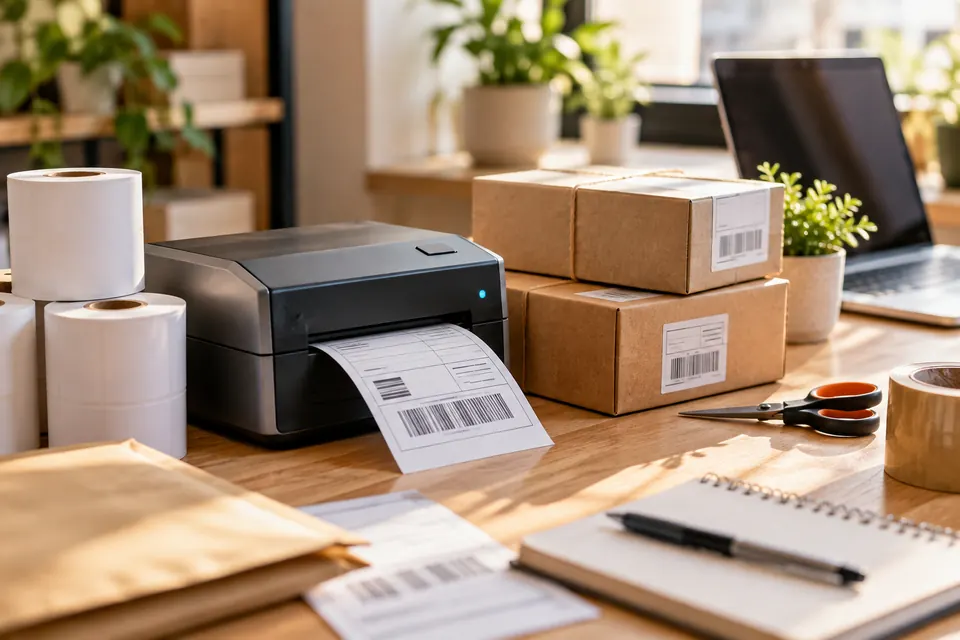
Read the guideCompare connections, resolution, and printing costs around the way you actually ship. No invented test scores or blanket winners.
Read the guideMove from a marketplace order to a complete, correctly sized label. Keep labels, parcels, and accompanying documents in sync.
Read the guideMatch the material, measurements, and feed format to your printer. Buy compatible stock without guessing.
Read the guideFollow the symptom you can see. Separate document, stock, connection, and maintenance problems before changing settings.
Read the guideGet from the box to a dependable first label. Start with your exact device and connection, then build a repeatable print workflow.
Read the guide