Find the first place where the expected size changes. Compare the exported file, selected queue, and application settings before resetting the printer.
An apparently forgotten paper size often belongs to a different printer queue or application. Establish a repeatable test and find out whether the setting changes when you reopen a file, choose a printer, or download a new label.
Run a three-layer comparison
| Layer | Question to answer |
|---|---|
| Shipping platform | Did it export thermal-label pages or letter-size pages? |
| Printer queue | Is this the same queue with the same saved media size? |
| PDF viewer or app | Did it select a different size, fit mode, or preset? |
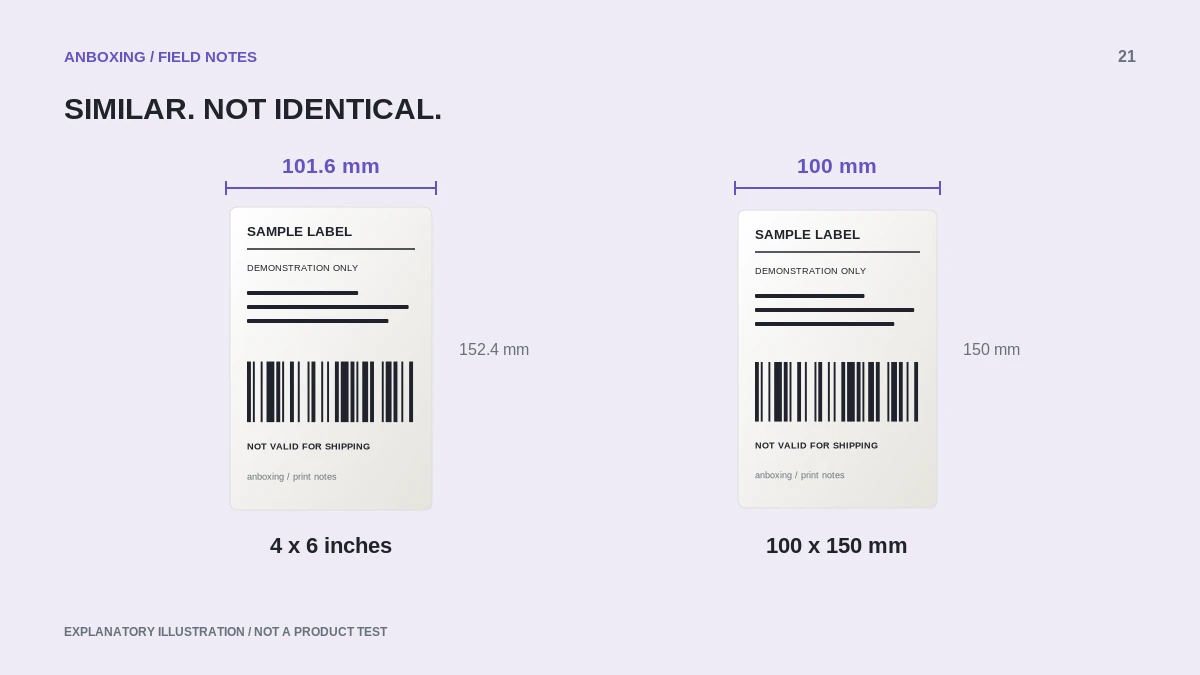
Record actual dimensions rather than only the displayed name. Similar labels such as 4×6 and 100×150 can conceal a mismatch. Keep a known-good original PDF unchanged throughout the test.
Locate the trigger
- Open the known-good PDF, select the correct printer, and set the expected media size. Print one label.
- Close only the print dialog and reopen it. Note whether the setting survived.
- Close and reopen the application. Select the same queue and check again.
- Open the same file in another supported viewer without changing the file. Compare the available paper controls.
- Download a fresh label from the shipping platform and inspect its document dimensions before printing.
- Repeat only the step that changed the size. You now have a narrower setting or application to investigate.
Use a named preset rather than memory
On Mac, use the supported custom-paper-size controls and save an appropriate print preset after a successful test. On Windows, inspect the actual queue’s preferences and then the application’s own Print dialog. Menus and available settings depend on the installed printer driver.
Apple: create a custom paper size on Mac Microsoft: printer connection and printing troubleshooting
A meaningful name includes the printer and dimensions, such as USB Shipping 4 x 6. Avoid relying on a generic Last Used setting on a workstation that also prints packing slips or ordinary documents.
Do not reset more than necessary
Changing the document export does not require recalibrating a printer that feeds stock correctly. Likewise, changing media learning does not rewrite a letter-size PDF. Keep mechanical and document problems separate.
A full printing-system reset is a last resort, especially on a Mac where Apple says it removes printers and presets. Record working settings and investigate the specific application first. When escalation is necessary, tell support exactly which action changes the size and which actions leave it intact.
Apple: what resetting the printing system removes
Common questions
Why does one app ignore the printer default?
Its own job settings or preset may take precedence. Compare the same file in each application.
Will recalibration keep my PDF viewer on 4 x 6?
No. Media sensing and application paper preferences are different controls.
Sources & scope
Source-based editorial guide. Primary references checked September 9, 2026. Diagnostic sequences and comparisons are editorial guidance, not results of hands-on product tests. Confirm current instructions and compatibility for your exact model.