Check whether the missing line stays at the same physical position across different test files. A repeatable strip suggests a different investigation from a defect present in only one document.
A missing stripe through an address or barcode makes the entire label questionable even when the rest looks dark. Begin with a controlled comparison, then use the exact model’s maintenance guidance. Cleaning advice is not interchangeable across all printer components.
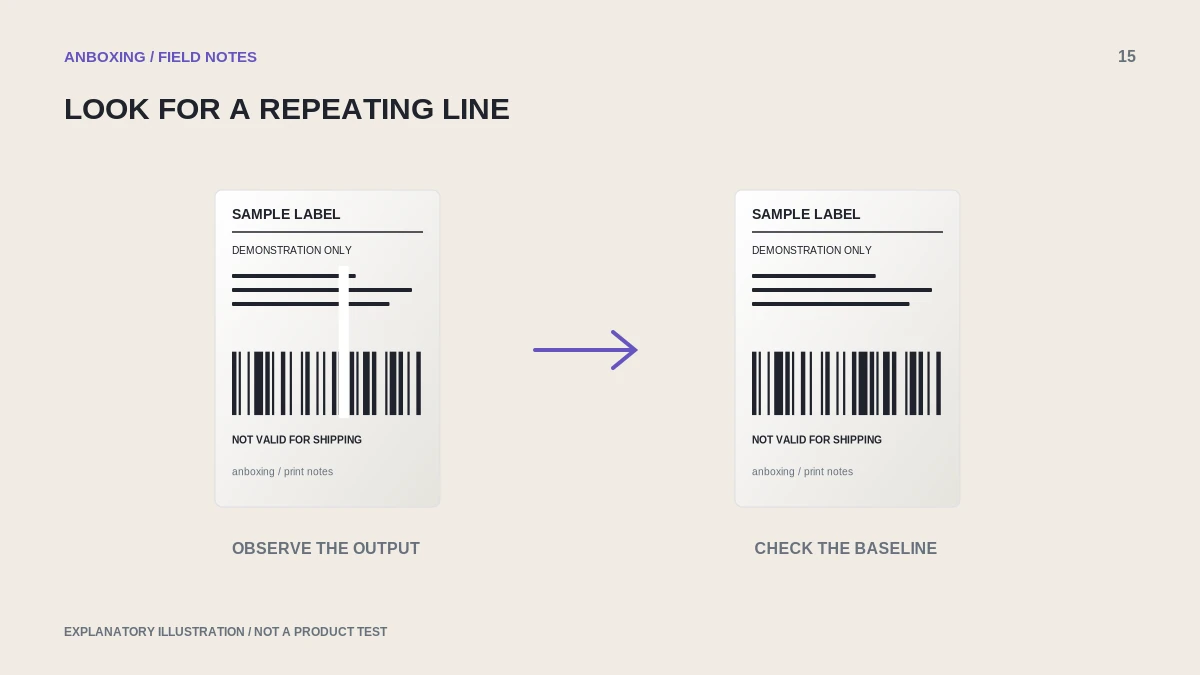
Separate a file defect from a print-path defect
Print two different known-good sample documents using the same stock and settings. Mark their feed direction. If a missing area repeats in the same position across the label width, record that pattern for support. If only one file has the defect, inspect its original artwork and rendering.
| Pattern | Useful next action |
|---|---|
| Same missing strip on several files | Consult model-approved printhead and media-path maintenance. |
| Defect visible in the source preview | Replace or regenerate the source file. |
| Random marks vary between labels | Compare stock and inspect the accessible media path. |
| Defect starts after a maintenance attempt | Stop and ask support before applying more treatment. |
Clean only as the manufacturer allows
For the Rollo printers covered by its white-spots article, Rollo instructs users to power off, allow cooling, clean the specified printhead area with the recommended alcohol pad, and allow drying before use. Follow that page for the covered model; do not treat the same method as approval for every printer or surface.
Unplug as the manual directs, keep liquids away from electronics, and never scrape with a blade or sharp tool. If the maintenance guide calls for a particular pad or cleaning material, use that rather than improvising with household cleaners.
Retest without changing everything else
- Keep the same known-good document and record the stock used.
- Complete only the approved maintenance task.
- Wait for the required cooling or drying period and restore the printer as instructed.
- Print one test and compare the same area with the earlier sample.
- If the defect remains, try a supported stock comparison only when the manufacturer recommends it.
- Contact support with the before-and-after evidence rather than repeating aggressive cleaning.
A diagnostic photo should show the pattern
Use a non-sensitive test label and photograph it straight on under even light. Include the whole label and a closer view of the missing area. Mark the direction it traveled through the printer. Avoid customer names, addresses, tracking numbers, and order details.
A support note such as white strip repeats at the same position across three sample labels is more useful than print looks bad. Keep the model number, media type, maintenance action, and test result together.
Do not compensate with excessive darkness
Increasing heat until surrounding areas turn heavy can make a barcode worse while leaving the missing strip unchanged. A persistent repeatable defect may need service. Do not dismantle the printhead or bypass a safety interlock to investigate it.
Common questions
Can white lines indicate a damaged printhead?
They can have multiple causes. A repeated defect that survives the approved checks should be assessed by the manufacturer; appearance alone is not a confirmed diagnosis.
Can I use any alcohol or solvent?
Use only the materials and method approved for your exact model and component. Do not generalize one brand’s cleaning instructions to all printers.
Sources & scope
Source-based editorial guide. Official documentation checked September 6, 2026. No hands-on product testing is claimed. Interfaces and compatibility can change; use the current instructions for your exact model.
Illustrations explain a workflow or concept and are not evidence of product testing. Read the label-printer editorial policy.