Choose the format your exact printer supports and your desk can feed straight. Rolls and fanfold labels can use similar face stock but need different space and handling.
The right supply format is often a packing-station decision. A roll may suit a supported internal bay or holder; a fanfold stack may suit a straight rear-feed arrangement. Neither is automatically better when the desk, printer path, or label specification is wrong.
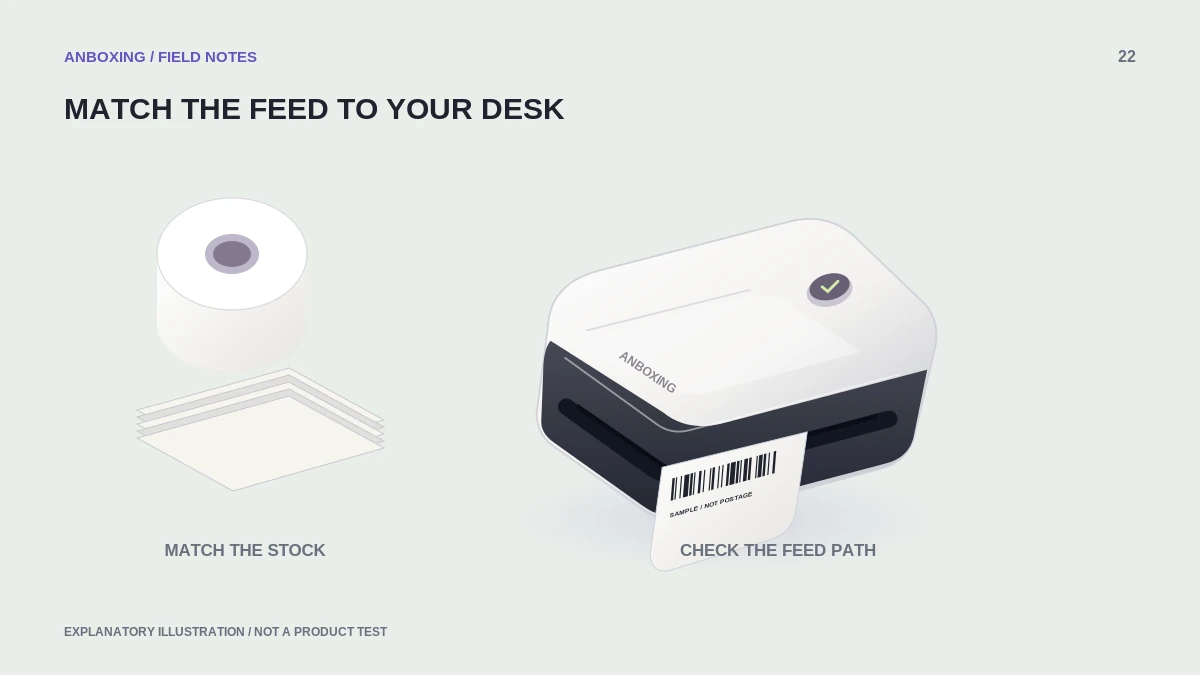
Compare the whole footprint
| Factor | Roll | Fanfold |
|---|---|---|
| Supply shape | Stock wound around a core. | Stock folded into a stack. |
| Space to check | Supported roll size, holder, and feed path. | Stack location and clearance as folds feed. |
| Changing supplies | Access to the bay or holder. | Access to the stack and entry path. |
| Potential setup issue | Unsupported core or diameter, or a poorly aligned holder. | Stack obstruction, damaged folds, or an angled entry. |
| Buying decision | Verify the full roll specification. | Verify the full fanfold specification. |
Measure the usable work area with a parcel sitting where it will actually be packed. A supply arrangement that fits an empty desk may fail once tape, a scale, and outgoing boxes occupy the same surface.
Printer support comes before preference
Rollo’s current guidance supports suitable rolls and fanfold stock, but this does not establish support for every other printer. Consult the exact model’s media and feed requirements, including any holder, core, or cartridge restriction.
A printer with an internal supply bay can have physical limits that are irrelevant to an external-feed design. Do not assume an external roll that is too large for a bay can be safely improvised into another path. Use only arrangements the manufacturer supports.
Set up a straight, unobstructed path
- Confirm the material, dimensions, and detection method first.
- Position the approved holder or stack so the liner enters without a sideways pull.
- Leave enough room for stock movement and the outgoing labels.
- Keep tape scraps, cables, and parcel edges out of the route.
- Run the documented feed test and observe a few sequential sample labels.
- Repeat the observation with your normal packing materials on the desk.
Compare total operating cost honestly
Compare the same usable label specification and quantity, not only the headline price per pack. Add shipping, damaged stock, and any required holder. Then consider the time needed to reload and recover from a poor arrangement. Do not assume a cheap bulk pack is a saving before verifying it works.
A useful trial uses a small pack of each supported format and the same document. Record setup convenience, the actual footprint, and any feed interruptions. These are your own operational observations; avoid turning them into claims about every printer.
Storage is part of the choice
Keep stock in its supplier-recommended conditions and protect it from crushing, contamination, and unsuitable exposure. Retain product labels so you can reorder the same specification. Rotate supplies deliberately instead of mixing several indistinguishable batches in one bin.
For a shared packing area, add a simple diagram showing where the holder or stack belongs. Consistent placement makes a later feed problem easier to reproduce and correct.
Common questions
Do fanfold labels need a ribbon?
Feed format does not determine printing technology. Match direct-thermal or thermal-transfer supplies to the printer separately.
Is fanfold always cheaper?
Not necessarily. Compare the same specification, usable quantity, shipping cost, and any accessories before deciding.
Sources & scope
Source-based editorial guide. Official documentation checked September 6, 2026. No hands-on product testing is claimed. Interfaces and compatibility can change; use the current instructions for your exact model.
Illustrations explain a workflow or concept and are not evidence of product testing. Read the label-printer editorial policy.